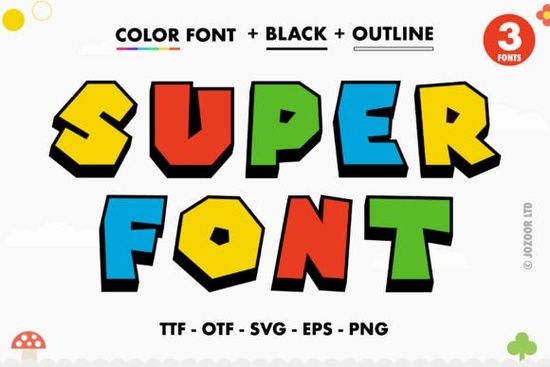
If you're looking for a bold, colorful typeface that actually stands out, Super Font is worth a close look. It's a thick-lettered color font built in the OpenType-SVG format, which means every letter carries real color and texture right inside the font file. No extra layering or effects needed you type, and the color is already there. It's a fun option for designers, crafters, and anyone who wants their text to pop without spending extra time in post-production.
What Exactly Is a Color Font, and How Is It Different?
Traditional fonts store letter shapes as simple vector outlines. You pick a color in your design software and apply it to the whole word or letter. A color font (also called an SVG font) works differently. Each glyph carries its own embedded color data gradients, textures, and multi-color fills are all baked into the characters themselves.
That's what makes something like Super Font stand out from a standard bold typeface. The letters already have that thick, vibrant, slightly playful look built in. You don't need to manually add drop shadows, outlines, or gradient overlays. What you see in the preview is what you get when you type.
This format has become especially popular for print-on-demand designs, social media graphics, kids' party invitations, and product packaging where eye-catching typography matters.
What Software Does Super Font Work With?
This is one of the most common questions people have with color fonts, and it's an important one. Since Super Font uses the OpenType-SVG format, it works with a specific set of programs:
- Adobe Photoshop full support for color font rendering
- Adobe Illustrator works well for vector-based projects
- Silhouette Studio great for crafters using Silhouette machines
- Inkscape a free option that supports SVG color fonts
Important: The OTF and TTF files included with this product are not compatible with Cricut Design Space. If you use a Cricut machine, this is something to keep in mind before purchasing. You can check out the full details on the Super Font page for more compatibility info.
For a deeper breakdown on how color fonts work across different platforms, Creative Fabrica's Ultimate Font Guide covers everything from installation to troubleshooting.
What Does "PUA Encoded" Mean and Why Should I Care?
PUA stands for Private Use Area. When a font is PUA encoded, it means every single glyph including alternates, swashes, and decorative extras is accessible through standard character maps. You don't need special software features to reach them.
In practical terms, this means you can:
- Open your system's character map (or a tool like PopChar or FontBook)
- Browse through every available glyph in the font
- Copy and paste any alternate character directly into your design
This is especially helpful if you're working in programs that don't have a full OpenType features panel. PUA encoding removes the guesswork and makes all the decorative extras genuinely usable.
Where Does Super Font Work Best?
Because of its thick, bold character and built-in color, this font shines in projects where text needs to be the focal point. Here are a few ideas based on common use cases:
- T-shirt designs bold statement text for print-on-demand shops
- Social media posts Instagram graphics, YouTube thumbnails, and story headers
- Party invitations and flyers especially for kids' events and playful branding
- Stickers and labels colorful typography for planner stickers or product labels
- Greeting cards fun, celebratory text for birthdays and holidays
If you're designing for children's products or playful branding, you might also want to browse similar options like colorful kids' name fonts or the cheerful Daisy Font, which takes a lighter, more whimsical approach compared to Super Font's bold weight.
Tips for Getting the Most Out of Color Fonts
Working with color fonts is slightly different from standard fonts. Here are a few things I've picked up that help:
- Use a larger font size. Color fonts carry a lot of detail. At small sizes, that detail gets lost and the text can look muddy. Aim for 36pt or larger for the best results.
- Avoid recoloring individual letters unless you specifically want to override the built-in colors. The embedded colors are part of what makes these fonts look good.
- Export at high resolution. Since the color data is raster-based inside the SVG, low-res exports can look blurry. For print, always go 300 DPI or higher.
- Pair it with a simple sans-serif. If you need a secondary font for body text or supporting info, keep it clean and neutral. A bold color font does the heavy lifting you don't want two fonts competing for attention.
Quick Checklist Before You Buy
Before adding Super Font to your collection, make sure:
- ☑ You're using Photoshop, Illustrator, Silhouette Studio, or Inkscape
- ☑ You do not need Cricut compatibility
- ☑ Your projects call for bold, colorful display text
- ☑ You understand that color fonts work best at larger sizes
- ☑ You've checked the Creative Fabrica Ultimate Font Guide if you're new to SVG fonts
If all of that lines up with how you work, Super Font is a solid addition to your font library. It's straightforward to use, looks great out of the box, and saves you the extra step of manually adding color effects to your type.
Download Now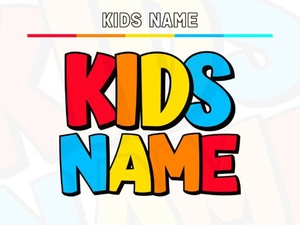 Adorable Kids Name Fonts for Creative Personalized Designs
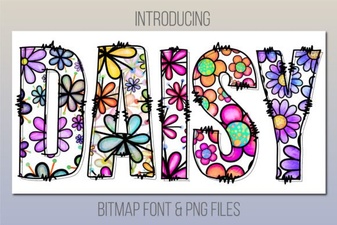 Daisy Font: a Fresh and Playful Design for Creative Projects
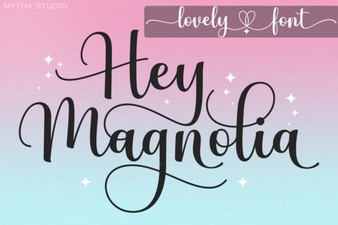 Discover Hey Magnolia Font for Beautiful Script Designs
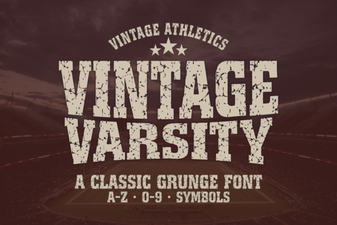 Best Vintage Varsity Fonts for Classic Design Projects
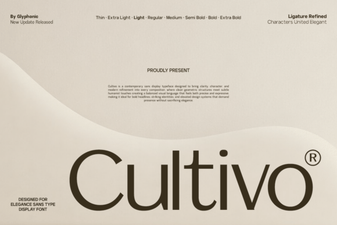 Cultivo Font - Free Sans Serif Display Typeface Download
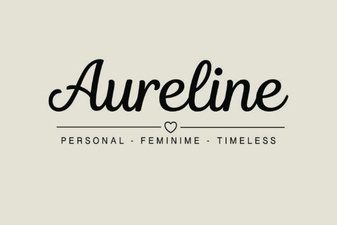 Aureline Font: Elegant Typography for Creative Design Projects