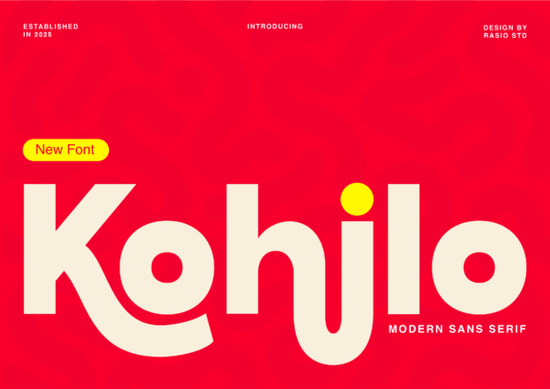
If you're looking for a bold sans serif that balances personality with professionalism, the Kohilo Font might be exactly what your next project needs. It's a modern typeface with thick strokes and smooth, almost liquid curves that give it a distinctive look especially in letters like the "h" and "j." Whether you're designing for a tech startup, creating packaging for a toy brand, or putting together social media graphics, this font brings energy without sacrificing readability.
What Makes Kohilo Different From Other Bold Sans Serifs?
Plenty of sans serif fonts claim to be bold and modern, but many of them end up looking stiff or generic. Kohilo takes a different approach. Its strokes are confident and heavy, but the curves soften the overall feel. The result is a typeface that looks contemporary and approachable at the same time.
The exaggerated curves on certain characters are what really set it apart. Those details add a sense of movement and fluidity that you won't find in typical geometric sans serifs. It sits right in the sweet spot between a clean professional font and a playful display face.
Where Does Kohilo Work Best?
This font was built with specific design contexts in mind. Here are some of its strongest use cases:
- Creative tech branding startups and apps that want to feel modern and friendly
- Toy and game packaging bold enough to stand out on a shelf without looking childish
- Social media headers and graphics high-impact text that grabs attention in a fast scroll
- App interfaces clean enough for UI elements with enough character for display text
- Print-on-demand products works well on t-shirts, mugs, and posters where bold type matters
- Logo design especially for brands that want to feel accessible and current
Does Kohilo Pair Well With Other Fonts?
Yes, and this is where it gets interesting for designers who like to mix typefaces. Because Kohilo is a bold display sans serif, it pairs naturally with lighter, more understated fonts for body text.
If you want to create a warm, organic feel alongside Kohilo, consider pairing it with something like a rounded font with soft botanical character. The contrast between Kohilo's bold geometry and a gentler typeface creates visual interest without clashing.
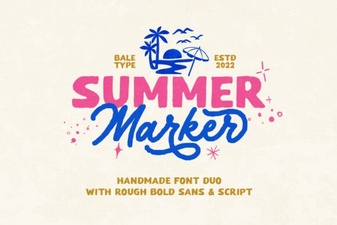
For projects that lean more playful or hand-crafted, you could combine Kohilo with a casual marker-style sans serif. This works especially well for kids' product packaging, event posters, or social media content where you want a fun, approachable vibe.
Who Should Consider Using This Font?
Kohilo is a solid choice for a wide range of creatives:
- Small business owners building a brand identity from scratch
- Print-on-demand sellers looking for fonts that sell well on merchandise
- Graphic designers working on client branding or packaging projects
- Crafters who need bold, clean type for Cricut or Silhouette projects
- Social media managers creating eye-catching headers and quote graphics
- App and web designers who need a display font with modern appeal
It's also worth noting that Kohilo's full character set gives you flexibility across different project types. You're not limited to basic headline use you can work with it across a variety of design contexts.
What File Formats and Features Does It Include?
When you download Kohilo from Creative Fabrica, you get access to standard font files that work across major design software Adobe Illustrator, Photoshop, Canva, Procreate, and more. It supports multiple weights and includes the full range of characters you'd expect from a professional typeface.
For designers who work across different platforms, this kind of compatibility matters. You don't want to invest in a font only to find it doesn't render properly in your preferred tool.
How to Get the Most Out of Kohilo
Here are a few practical tips for using this font effectively:
- Use it at larger sizes the curve details shine when the text is big enough to appreciate them
- Don't overload a design with it pair it with a simpler font for body copy to keep things balanced
- Test it in your specific context try it on mockups before committing to a final design
- Experiment with color bold sans serifs like this look great in bright, saturated colors as well as clean black and white
- Check licensing make sure the license covers your intended use, especially for commercial projects
Quick Checklist Before You Buy
- ✓ Confirm the font fits your project style and audience
- ✓ Check that it's compatible with your design software
- ✓ Review the license terms for commercial use
- ✓ Test a few headline and body text pairings before finalizing
- ✓ Download and install a test version if available
Next step: Head over to Creative Fabrica to preview Kohilo in action and see if it's the right fit for your next design project. Try it on a quick mockup first you'll know pretty quickly if its bold curves match the energy you're going for.
Get Started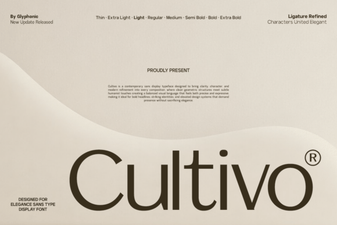 Cultivo Font - Free Sans Serif Display Typeface Download
 Summer Marker Font for Vibrant Creative Projects
 Discover Hey Magnolia Font for Beautiful Script Designs
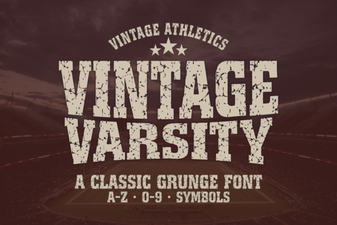 Best Vintage Varsity Fonts for Classic Design Projects
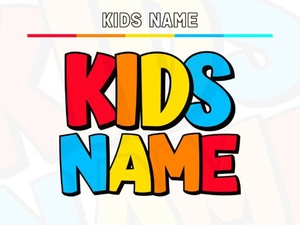 Adorable Kids Name Fonts for Creative Personalized Designs
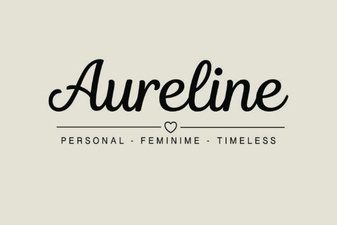 Aureline Font: Elegant Typography for Creative Design Projects