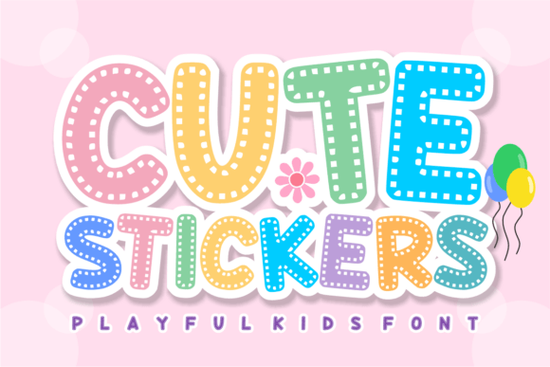
If you're looking for a playful, eye-catching typeface that works beautifully for stickers, labels, and kids' projects, the Cute Stickers Font is worth a closer look. It features bold, rounded letterforms with a stitched dashed-line detail inside each character, giving it that handmade, crafty feel without any extra effort on your part.
Whether you sell printables on Etsy, run a classroom, or love DIY crafting, this font brings a fun and approachable vibe to just about anything you create. Let's break down what makes it useful and who it's really for.
What Does the Cute Stickers Font Look Like?
Think of the stickers you'd find on a kid's notebook or a teacher's reward chart that's the energy here. The letters are thick, rounded, and super legible, with a dashed outline running through each glyph that mimics the look of hand-stitched crafts or die-cut sticker edges.
It's a display font, so it's meant for headings, titles, and short phrases rather than long paragraphs. If you've worked with bold display fonts before something like a comic-inspired pop style you already know how much personality a single font choice can add to a design.
What Can You Use This Font For?
This is where the Cute Stickers Font really shines. It's versatile enough for a wide range of projects:
- Planner stickers and labels Perfect for name tags, product labels, and organized sticker sheets.
- Classroom materials Worksheets, flashcards, bulletin board headers, and reward charts all benefit from its bold readability.
- Birthday party decor Think invitations, banners, cake toppers, and favor tags.
- Kids' apparel and merch T-shirt designs, tote bags, patches, and iron-on vinyl projects.
- DIY crafting Vinyl cutting, scrapbooking, sublimation prints, and card-making.
If you're also working on educational materials and need something with a similar classroom-friendly feel, classroom memories display fonts pair nicely alongside this one.
Does It Work With Cutting Machines?
Yes, and that's one of the biggest strengths. The bold, clean shapes of each letter make it easy for machines like Cricut and Silhouette to read and cut accurately. No tiny thin strokes to worry about, no intricate details that fall apart at small sizes.
The stitching effect is built into the letterforms themselves, so you don't need to layer multiple elements or add extra outlines in your design software. Install the font, type your text, and you're ready to cut.
How Does It Compare to Other Playful Fonts?
There are plenty of fun display fonts out there, but the stitched detail is what sets this one apart. It gives designs a handmade quality that's hard to replicate with standard rounded or bubble fonts.
For comparison, if you're after a sporty, varsity-style look, the vintage varsity display font takes a completely different direction. And if you prefer something softer and more elegant for a different project, a delicate script display might be a better fit. It really depends on the mood you're going for.
For those who work across multiple styles which, let's be honest, is most of us having a well-rounded bundle of display fonts can save a lot of time and money across different client projects.
Is It Beginner-Friendly?
Absolutely. You don't need advanced design skills to make this font look good. It does most of the heavy lifting on its own. Install it on your computer, open your preferred design software whether that's Canva, Cricut Design Space, Adobe Illustrator, or Silhouette Studio and start typing.
The legibility at various sizes is a big plus. Some decorative fonts look great large but fall apart when scaled down. This one holds up well across different uses, from small labels to large banners. It also pairs nicely with a simple sans-serif for body text when you're building out a full layout.
What Font Styles Pair Well With It?
Since Cute Stickers is a bold display font, it works best alongside something clean and understated. A basic sans-serif for descriptions, a light script for accent text, or even another playful style for variety can all work depending on the project.
If you want to mix it with other fun display options, check out comic pop display fonts for a bolder, more energetic combo, or keep things simple with a single-font design that lets the stitched detail stand on its own.
Quick Checklist Before You Start
- Download the font from Cute Stickers Font and install it on your system.
- Test it at different sizes in your design software to see where it works best.
- Pair it with a simple sans-serif for body text if you're building multi-element designs.
- Use it for short text headings, titles, labels, and single words look strongest with this style.
- Export and cut send your design to your cutting machine or save for print.
Start with one small project a set of planner stickers or a birthday card and see how it fits into your workflow. You'll know pretty quickly if it belongs in your regular rotation.
Download Now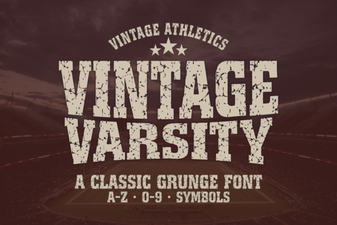 Best Vintage Varsity Fonts for Classic Design Projects
 Sweetie Pop Font: a Playful Typeface for Creative Designs
 Helpful Person Font: a Friendly Typeface for Creative Projects
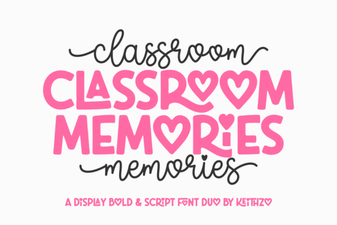 Classroom Memories Font for Nostalgic School Design Projects
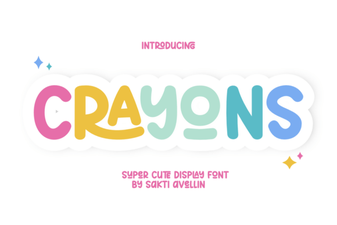 Crayons Font: a Playful Handwritten Typeface for Creative Design
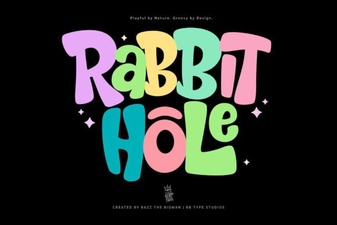 Rabbit Hole Font - Whimsical Display Typeface for Creative Designs